
Fortinet Under Siege: Critical Zero-Day Exploits Expose Systemic Authentication Failures

Executive Summary
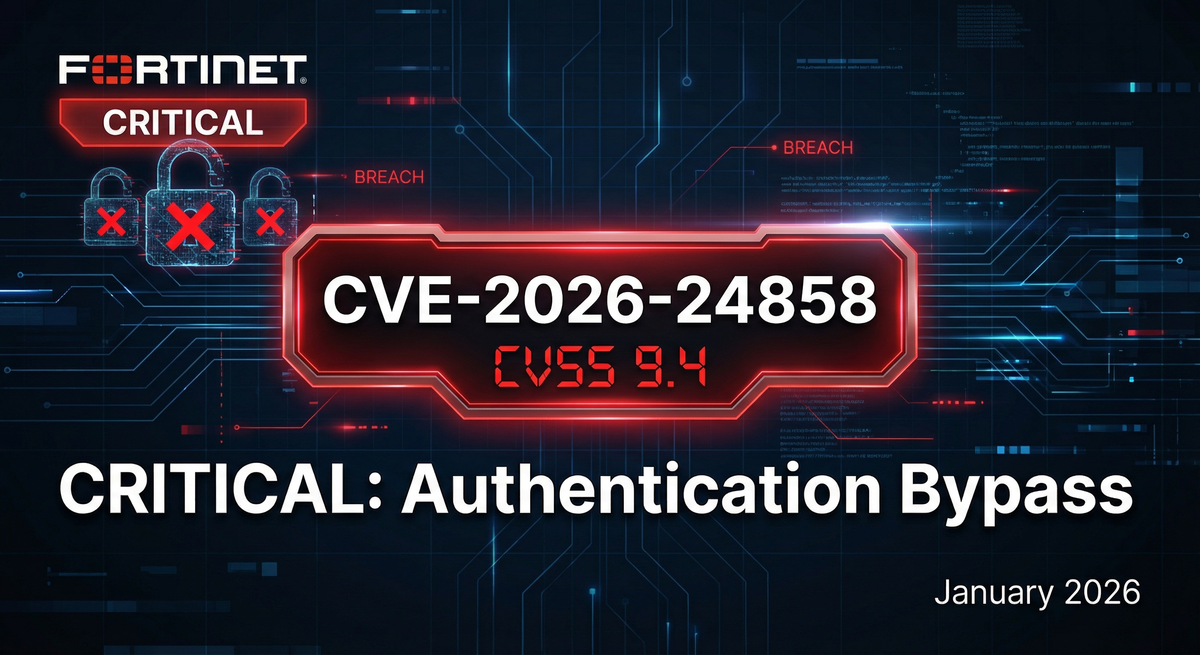
Fortinet customers are facing a perfect storm of critical vulnerabilities in January 2026, with threat actors actively exploiting multiple zero-day flaws across the company's flagship security products. The latest crisis centers on CVE-2026-24858, a critical authentication bypass vulnerability with a CVSS score of 9.4 that allows attackers with basic FortiCloud accounts to log into other customers' devices—even those running the latest patched firmware.
This isn't an isolated incident. It represents the fourth major FortiCloud Single Sign-On (SSO) authentication bypass discovered in just eight weeks, revealing a pattern of systemic security failures in Fortinet's authentication architecture. The January 2026 attacks have already compromised numerous enterprise firewalls, with threat actors creating persistent admin accounts, exfiltrating firewall configurations, and potentially establishing long-term backdoor access to victim networks.
For CISOs and security teams managing Fortinet infrastructure, this is a code-red moment that demands immediate action. The combination of actively exploited zero-days, inadequate patch quality, and the expanding attack surface of FortiCloud SSO integration creates an unprecedented risk profile for organizations relying on Fortinet for network security.
 Breached Company
The CVE-2026-24858 Attack: What We Know
Technical Details
CVE-2026-24858 is classified as an "Authentication Bypass Using an Alternate Path or Channel" vulnerability (CWE-288) affecting FortiOS, FortiManager, FortiAnalyzer, FortiProxy, and FortiWeb products. The flaw exploits improper access control in the FortiCloud SSO authentication mechanism, specifically in how SAML (Security Assertion Markup Language) authentication requests are validated.
The core vulnerability: An attacker with a legitimate FortiCloud account and a registered device can craft malicious SAML messages that bypass authentication checks on other customers' Fortinet devices—if those devices have FortiCloud SSO enabled. This effectively means that registering a single low-cost FortiGate device provides an attacker with a potential skeleton key to thousands of other organizations' security infrastructure.
According to Fortinet's official PSIRT advisory (FG-IR-26-060), the vulnerability was actively exploited in the wild beginning in mid-January 2026. The company confirmed exploitation by two specific malicious FortiCloud accounts:
cloud-noc@mail.iocloud-init@mail.io
These accounts were locked out on January 22, 2026, but not before they successfully breached an unknown number of customer deployments.
Attack Timeline and Fortinet's Response
January 20, 2026: Multiple Fortinet customers report unauthorized administrator accounts appearing on their FortiGate firewalls despite running the latest available firmware. Initial speculation centers on an incomplete patch for CVE-2025-59718, a previous SSO bypass vulnerability patched in December 2025.
January 21-22, 2026: Arctic Wolf Labs confirms widespread automated attacks creating rogue admin accounts and exfiltrating firewall configurations within seconds of compromise. The attack pattern appears highly automated, suggesting sophisticated tooling.
January 23, 2026: Fortinet CISO Carl Windsor acknowledges that fully patched devices are being compromised through an "alternate authentication path" distinct from CVE-2025-59718. The company disables the two malicious FortiCloud accounts but exploitation continues through the architectural flaw.
January 26, 2026: Fortinet takes the drastic step of globally disabling FortiCloud SSO across its entire cloud infrastructure to halt the attacks while patches are developed.
January 27, 2026: FortiCloud SSO is restored with server-side restrictions that prevent vulnerable firmware versions from authenticating. Fortinet publishes CVE-2026-24858 advisory and begins rolling out patches. Initial patch available: FortiOS 7.4.11.
January 28, 2026: Additional FortiManager and FortiAnalyzer patches released. Fortinet confirms third-party SAML Identity Providers (IdPs) and FortiAuthenticator are NOT affected—only FortiCloud SSO.
This timeline reveals several troubling aspects of Fortinet's security posture. The vulnerability existed in production code for an unknown duration before exploitation. The company required nearly a week from initial reports to publish a formal advisory. Most concerning: this represents the fourth SSO authentication bypass in FortiCloud in just two months.
Affected Versions and Patch Status
FortiOS (Firewalls)
| Version | Vulnerability Status | Solution |
|---|---|---|
| 8.0.x | Not Affected | No action required |
| 7.6.0 - 7.6.5 | Vulnerable | Upgrade to 7.6.6 (pending) |
| 7.4.0 - 7.4.10 | Vulnerable | Upgrade to 7.4.11 NOW |
| 7.2.0 - 7.2.12 | Vulnerable | Upgrade to 7.2.13 (pending) |
| 7.0.0 - 7.0.18 | Vulnerable | Upgrade to 7.0.19 (pending) |
| 6.4.x | Not Affected | No action required |
FortiManager
| Version | Vulnerability Status | Solution |
|---|---|---|
| 7.6.0 - 7.6.5 | Vulnerable | Upgrade to 7.6.6 (pending) |
| 7.4.0 - 7.4.9 | Vulnerable | Upgrade to 7.4.10 NOW |
| 7.2.0 - 7.2.11 | Vulnerable | Upgrade to 7.2.13 (pending) |
| 7.0.0 - 7.0.15 | Vulnerable | Upgrade to 7.0.16 (pending) |
FortiAnalyzer
| Version | Vulnerability Status | Solution |
|---|---|---|
| 7.6.0 - 7.6.5 | Vulnerable | Upgrade to 7.6.6 (pending) |
| 7.4.0 - 7.4.9 | Vulnerable | Upgrade to 7.4.10 NOW |
| 7.2.0 - 7.2.11 | Vulnerable | Upgrade to 7.2.12 (pending) |
| 7.0.0 - 7.0.15 | Vulnerable | Upgrade to 7.0.16 (pending) |
Critical Note: FortiProxy 7.0 and 7.2 have no planned patches—Fortinet recommends migrating to newer versions. FortiSwitch Manager remains under investigation.
Indicators of Compromise: What to Look For
If your organization uses FortiCloud SSO, immediate forensic investigation is essential. Here are the specific IOCs documented by Fortinet and third-party security researchers:
Malicious SSO Login Accounts
Look for authentication events from these email addresses in your FortiOS logs:
cloud-noc@mail.iocloud-init@mail.io
Search your logs with this CLI command:
execute log filter field user cloud-noc@mail.io,cloud-init@mail.io
execute log display
Attack Infrastructure IP Addresses
Threat actors have been observed connecting from multiple IP addresses, many using Cloudflare's CDN to mask their true origin:
Primary attack IPs (Cloudflare-hosted):
- 104.28.244.115
- 104.28.212.114
- 104.28.212.115
- 104.28.195.105
- 104.28.195.106
- 104.28.227.106
- 104.28.227.105
- 104.28.244.114
Additional IPs identified by third parties:
- 37.1.209.19
- 217.119.139.50
Block these IPs immediately and audit all historical connections from these sources.
Rogue Administrator Accounts
Following successful SSO authentication bypass, attackers consistently create local administrator accounts for persistence. Review your admin accounts for any unexpected entries with these names:
auditbackupitadminsecadminsupportbackupadmindeployremoteadminsecuritysvcadminsystem
List all administrator accounts with this command:
show system admin
Forensic Log Patterns
Malicious SSO login event:
logid="0100032001" type="event" subtype="system" level="information"
logdesc="Admin login successful" user="cloud-init@mail.io"
ui="sso(104.28.244.115)" method="sso" srcip=104.28.244.115
action="login" status="success" profile="super_admin"
Persistence account creation:
logid="0100044547" type="event" subtype="system" level="information"
logdesc="Object attribute configured" user="cloud-init@mail.io"
action="Add" cfgpath="system.admin" cfgobj="secadmin"
msg="Add system.admin secadmin"
Any logs matching these patterns indicate confirmed compromise.
 Breached Company
Attack Methodology and Post-Exploitation Activities
Based on incident response analysis from Arctic Wolf Labs and Fortinet's own investigations, the attack follows a highly automated, consistent pattern:
Stage 1: Initial Access (0-5 seconds)
- Attacker authenticates via FortiCloud SSO using crafted SAML request
- Bypasses authentication without valid credentials for target device
- Gains super_admin level privileges
Stage 2: Persistence (5-15 seconds)
- Creates local administrator account with one of the standard names listed above
- Grants super_admin profile to persistence account
- Account survives even if FortiCloud SSO is disabled
Stage 3: Data Exfiltration (15-30 seconds)
- Downloads complete device configuration file
- Configuration contains VPN credentials, firewall rules, network topology
- Potentially includes stored passwords and certificate private keys
Stage 4: Cleanup and Exit (30-45 seconds)
- No immediate changes to firewall rules (low profile)
- Logs out from SSO session
- Returns later via persistence account for reconnaissance
The entire compromise sequence occurs in under 60 seconds. The automation and speed suggest this is a large-scale scanning and exploitation campaign, not targeted attacks.
Incident Response Playbook for Fortinet Customers
If you manage Fortinet infrastructure with FortiCloud SSO enabled, follow this response protocol immediately:
Priority 1: Immediate Containment (First Hour)
1. Audit All Administrator Accounts
# List all admin accounts
show system admin

# Look for accounts created after January 20, 2026
diagnose sys admin user list
Delete any unexpected administrator accounts immediately:
config system admin
    delete [suspicious-username]
end
2. Search Logs for Compromise Indicators
# Search for malicious SSO accounts
execute log filter field user cloud-noc@mail.io,cloud-init@mail.io
execute log display

# Search for suspicious admin account creations
execute log filter field logid 0100044547
execute log display

# Search for connections from attack IPs
execute log filter field srcip 104.28.244.115
execute log display
3. Disable FortiCloud SSO (Defense in Depth)
While Fortinet has implemented server-side blocking, disable the feature locally as additional protection:
config system global
    set admin-forticloud-sso-login disable
end
For FortiManager/FortiAnalyzer:
config system saml
    set forticloud-sso disable
end
Priority 2: Configuration Integrity (First 4 Hours)
1. Restore from Known-Clean Backup
If compromise is confirmed, restore your configuration from a backup dated before January 20, 2026:
# Backup current config for forensics
execute backup config tftp [filename] [tftp-server]

# Restore clean config
execute restore config tftp [clean-filename] [tftp-server]
2. Audit VPN Configurations
Review all VPN user accounts and IPsec tunnels for unauthorized additions:
# SSL VPN users
show vpn ssl settings

# IPsec Phase 1 interfaces
show vpn ipsec phase1-interface
3. Review Firewall Policy Changes
Check for unauthorized firewall rules:
show firewall policy
Look for rules allowing suspicious inbound access or outbound data exfiltration.
Priority 3: Credential Rotation (First 24 Hours)
Treat all credentials stored on compromised devices as exposed:
- Local admin passwords: Reset all administrator account passwords
- LDAP/AD service accounts: Rotate any directory service credentials configured on FortiGate
- IPsec pre-shared keys: Regenerate all PSK values for site-to-site VPNs
- SSL VPN user passwords: Force password reset for all remote access users
- SNMP community strings: Change all SNMP read/write community strings
- API keys: Revoke and regenerate all FortiOS API tokens
Priority 4: Patch Management (First 48 Hours)
1. Apply Available Patches Immediately
For FortiOS 7.4.x:
# Download and install 7.4.11
execute restore image tftp [firmware-file] [tftp-server]
2. Plan Upgrade Path for Unsupported Versions
If running FortiOS 7.6, 7.2, or 7.0, patches are pending. Options:
- Wait for patches (high risk)
- Upgrade to FortiOS 8.0 (not vulnerable)
- Implement compensating controls while waiting
3. Implement Defense-in-Depth During Patch Window
Until patches are available, implement strict local-in policies:
config firewall address
    edit "AdminSubnet"
        set subnet 10.10.10.0 255.255.255.0
    next
end

config firewall local-in-policy
    edit 1
        set intf "wan1"
        set srcaddr "AdminSubnet"
        set dstaddr "all"
        set service "HTTPS"
        set schedule "always"
        set action accept
    next
    edit 2
        set intf "wan1"
        set srcaddr "all"
        set dstaddr "all"
        set service "HTTPS"
        set schedule "always"
        set action deny
    next
end
This restricts administrative access to specific trusted IP ranges.
Configuration Hardening Recommendations
Even after patching, implement these security best practices to reduce attack surface:
1. Disable FortiCloud SSO Unless Absolutely Necessary
FortiCloud SSO is automatically enabled when devices are registered to FortiCare. If you don't actively use this feature, disable it:
config system global
    set admin-forticloud-sso-login disable
end
Recommendation: Use local accounts with strong passwords and certificate-based authentication instead of SSO for administrative access.
2. Restrict Administrative Access to Management Networks
Never expose FortiGate administrative interfaces directly to the internet. If remote access is required:
Option A: VPN-First Access
- Require administrators to connect via SSL VPN before accessing management
- Use separate management VLAN isolated from production
Option B: IP Allowlisting
- Implement strict local-in policies (shown above)
- Restrict to known administrator IP ranges
- Use GeoIP filtering to block unexpected countries
3. Enable Multi-Factor Authentication
For all administrator accounts, enable certificate-based authentication:
config system admin
    edit "admin"
        set accprofile "super_admin"
        set vdom "root"
        set password [strong-password]
        set peer "admin-cert"
        set peergrp "admin-cert-group"
    next
end
4. Implement Robust Logging and Monitoring
Forward all authentication logs to external SIEM:
config log syslogd setting
    set status enable
    set server "[SIEM-IP]"
    set port 514
    set facility local7
end
Alert on:
- Failed login attempts (threshold: 3 within 5 minutes)
- Administrator account creations
- Configuration changes outside maintenance windows
- Logins from unexpected IP addresses or countries
5. Regular Configuration Backups
Automate daily configuration backups to secure, offline storage:
# Schedule daily backups
config system auto-script
    edit "daily-backup"
        set interval 86400
        set repeat 0
        set start auto
        set script "execute backup config tftp daily-backup.conf [tftp-server]"
    next
end
Store backups with version control and offline copies for disaster recovery.
The Broader Pattern: Fortinet's Vulnerability Crisis
CVE-2026-24858 is not an isolated incident—it represents the latest in an escalating series of critical vulnerabilities plaguing Fortinet products:
Timeline of Recent Fortinet Critical Vulnerabilities
December 2025: CVE-2025-59718 & CVE-2025-59719
- FortiCloud SSO authentication bypass vulnerabilities
- CVSS scores: 9.8 (Critical)
- Discovered during internal Fortinet code audit
- Exploited in the wild shortly after disclosure
- Affected FortiOS, FortiWeb, FortiProxy, FortiSwitch Manager
November 2025: FortiSIEM Critical Flaw
- Vulnerability in FortiSIEM logging and analytics platform
- Allowed unauthenticated remote code execution
- Actively exploited by multiple threat actor groups
- Limited public disclosure from Fortinet
October 2025: FortiManager Configuration Breach
- Reports of unauthorized configuration changes on FortiManager instances
- Connection to prior zero-day exploitation suspected
- Fortinet provided limited guidance on forensic investigation
September 2025: CVE-2025-42813
- FortiClient VPN authentication bypass
- Allowed attackers to intercept VPN credentials
- Patch initially incomplete, requiring secondary update
January 2026: CVE-2026-24858
- Fourth SSO authentication bypass in eight weeks
- Same architectural flaw (SAML validation) as December 2025
- Suggests inadequate security review of authentication code
Systemic Issues in Fortinet's Security Architecture
This pattern reveals several troubling systemic problems:
1. Insufficient Code Auditing
The rapid succession of SSO authentication bypasses (CVE-2025-59718, CVE-2025-59719, CVE-2026-24858) targeting the same attack surface suggests Fortinet's security review process failed to identify architectural flaws in SAML authentication handling. These aren't edge cases—they're fundamental authentication logic errors.
2. Incomplete Patching
CVE-2026-24858 exploits an "alternate path" that remained even after CVE-2025-59718 was supposedly fixed. This indicates patches address specific exploitation methods rather than underlying architectural weaknesses. Security researchers call this "patch whack-a-mole."
3. Slow Disclosure and Response
The eight-day gap between initial customer reports (January 20) and formal advisory publication (January 27) left customers without actionable guidance during active exploitation. Fortinet's initial response blamed a "bypass" of existing patches before acknowledging a distinct vulnerability.
4. Over-Reliance on Cloud Integration
FortiCloud SSO's automatic enablement when devices register to FortiCare created a massive attack surface that most customers weren't aware they had enabled. The opt-out (rather than opt-in) security model violated industry best practices.
5. Inadequate Forensic Guidance
Fortinet's initial advisories provided minimal IOCs and forensic indicators. Third-party researchers and affected customers had to share detailed log patterns and attack infrastructure IPs before Fortinet expanded its guidance.
The Migration Decision: Should You Leave Fortinet?
For CISOs evaluating long-term risk, this series of vulnerabilities raises a fundamental question: Is Fortinet security infrastructure still trustworthy for protecting your organization?
Factors Favoring Migration
Trust Erosion
- Four critical authentication bypasses in 8 weeks
- Architectural security flaws, not just implementation bugs
- Pattern suggests insufficient security-first development culture
Patch Quality Concerns
- CVE-2026-24858 exploits "alternate path" after CVE-2025-59718 patch
- Indicates reactive patching rather than comprehensive security review
- Risk of additional undiscovered authentication bypasses
Slow Security Response
- Multi-day delays between exploitation and advisory publication
- Initial guidance often incomplete or misleading
- Third parties providing better IOCs than vendor
Regulatory and Insurance Implications
- Cyber insurance underwriters increasingly scrutinizing vendor security
- Using products with known systemic vulnerabilities may impact coverage
- Regulatory guidance (CISA KEV catalog) may mandate alternatives
Factors Favoring Staying
Migration Complexity and Cost
- Replacing enterprise firewall infrastructure requires 6-12 months
- Significant capital expenditure for hardware/licensing
- Staff retraining and knowledge transfer costs
- Risk of misconfiguration during migration
Competitive Landscape Reality
- Palo Alto, Cisco, Check Point all have critical vulnerability histories
- No vendor has perfect security record
- Migration doesn't eliminate zero-day risk, just shifts it
Fortinet's Market Position
- Strong enterprise deployment and integration ecosystem
- Competitive pricing compared to alternatives
- SD-WAN and SASE capabilities difficult to replicate
Short-Term Risk Mitigation
- Server-side blocking by Fortinet effective immediately
- Patches available or coming soon for most versions
- Compensating controls (MFA, IP restrictions) reduce risk
A Pragmatic Framework for Decision-Making
Rather than binary stay/leave, consider a risk-based phased approach:
Phase 1: Immediate Hardening (0-30 days)
- Apply all available patches
- Disable FortiCloud SSO
- Implement strict local-in policies
- Deploy comprehensive monitoring
- Create offline configuration backups
Phase 2: Evaluation Period (30-90 days)
- Monitor Fortinet's security advisory frequency
- Track patch quality and completeness
- Assess whether new vulnerabilities emerge
- Evaluate insurance and regulatory implications
- Price out migration alternatives for budget planning
Phase 3: Strategic Decision (90-180 days)
- If Fortinet demonstrates improved security posture: stay with enhanced monitoring
- If vulnerability pattern continues: initiate formal migration project
- If uncertain: implement hybrid approach (Fortinet for non-critical, alternative for critical)
Key Decision Metrics:
- Number of new critical CVEs in next 90 days (threshold: >2 = red flag)
- Patch completeness (are "fixes" actually comprehensive?)
- Fortinet's transparency and communication quality
- Insurance underwriter guidance on acceptable vendor risk
Broader Industry Implications
The Fortinet vulnerability crisis has implications beyond individual organizations:
Supply Chain Security Risk
Enterprise security architecture depends on vendor trustworthiness. When a dominant firewall vendor experiences systemic security failures, it exposes a critical supply chain risk. Organizations must ask: How much of our security posture depends on vendors we can't audit?
Cloud Integration Attack Surface
FortiCloud SSO's automatic enablement exemplifies how cloud integration features—sold as convenience—can dramatically expand attack surface. Security teams must audit all "cloud-connected" features in their infrastructure and implement opt-in rather than opt-out policies.
The Limitations of Defense-in-Depth
Ironically, many organizations rely on Fortinet firewalls as a compensating control for weaker internal security. When the firewall itself becomes the vulnerability, it demonstrates the limits of perimeter-based security models. Zero-trust architecture becomes more compelling.
Regulatory Response
Expect CISA to add CVE-2026-24858 to the Known Exploited Vulnerabilities (KEV) catalog, mandating patching deadlines for federal agencies. Some cyber insurance underwriters may begin excluding claims related to known vulnerable Fortinet versions.
Conclusion: A Code Red Moment for Fortinet Customers
The January 2026 Fortinet zero-day crisis represents more than a single vulnerability—it reveals systemic security failures in one of the world's most widely deployed security platforms. CVE-2026-24858, combined with the December 2025 SSO bypasses and the ongoing FortiSIEM exploitation, creates an unprecedented risk profile for organizations relying on Fortinet infrastructure.
The immediate actions are clear:
- Audit your devices for compromise using the IOCs provided
- Apply available patches immediately (FortiOS 7.4.11, FortiManager 7.4.10, FortiAnalyzer 7.4.10)
- Disable FortiCloud SSO unless actively required
- Implement strict access controls on administrative interfaces
- Rotate all credentials stored on potentially compromised devices
The strategic questions are harder:
How many critical authentication bypasses in how short a timeframe constitute a pattern requiring vendor change? What level of trust is appropriate for security infrastructure vendors with demonstrated systemic weaknesses? When does risk mitigation transition from technical controls to architectural replacement?
For many organizations, the answer will depend on Fortinet's response in the coming months. If additional critical vulnerabilities emerge, or if patch quality remains questionable, the cost and disruption of migration may become justified by the alternative risk of remaining on a platform under active, sustained attack.
Security is about managing risk, not eliminating it. But when the security infrastructure itself becomes a top-tier risk, something fundamental has broken. Fortinet has weeks, not months, to prove it can restore customer trust through comprehensive security reviews, transparent communication, and demonstrably complete patches.
For now, every Fortinet customer should be operating under the assumption of compromise until proven otherwise. Audit. Patch. Harden. Monitor. And prepare contingency plans for the possibility that this vulnerability crisis is not yet over.
Sources:
- Fortinet PSIRT Advisory FG-IR-26-060
- Fortinet Blog: Analysis of Single Sign-On Abuse on FortiOS
- BleepingComputer: Fortinet blocks exploited FortiCloud SSO zero day
- Help Net Security: Fortinet starts patching exploited FortiCloud SSO zero-day
- Arctic Wolf Labs incident response analysis (January 2026)
- CISA Known Exploited Vulnerabilities Catalog