
ShinyHunters Triple Strike: How Okta Impersonators Breached Crunchbase, SoundCloud, and Betterment

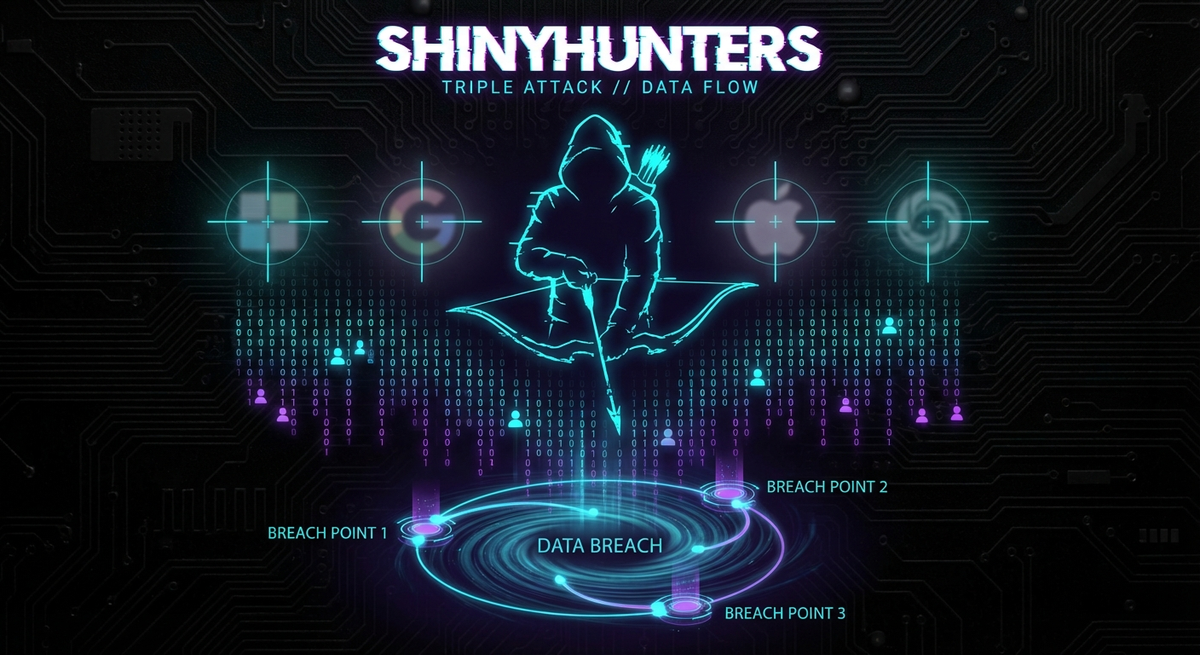
A coordinated social engineering campaign targeting single sign-on credentials demonstrates that the human factor remains cybersecurity's weakest link
Executive Summary
In January 2026, the notorious ShinyHunters cybercrime group executed a sophisticated social engineering campaign that breached three major technology platforms—Crunchbase, SoundCloud, and Betterment—by impersonating Okta cybersecurity employees. The attacks compromised more than 50 million user records across the three organizations and exposed a critical vulnerability that no firewall can prevent: human trust.
Unlike traditional technical exploits that target software vulnerabilities, these breaches leveraged voice phishing (vishing) combined with real-time phishing kits to trick employees into surrendering their single sign-on (SSO) credentials. Attackers posed as Okta support staff during phone calls, guiding victims through fraudulent authentication pages while capturing credentials and multi-factor authentication (MFA) codes in real time.
When the victims refused to pay ransom demands, ShinyHunters published the stolen data on January 23, 2026, affecting approximately 2 million Crunchbase users, 29.8 million SoundCloud accounts, and more than 20 million Betterment records. Security researchers have since identified nearly 100 organizations targeted in the same campaign, making this one of the most extensive vendor impersonation attacks ever documented.
For CISOs, this triple breach delivers an uncomfortable truth: employees will trust security vendors. That trust, when weaponized through social engineering, can bypass multi-billion-dollar security infrastructures. Organizations must urgently implement out-of-band verification protocols, phishing-resistant authentication, and vendor impersonation detection training to defend against this evolving threat vector.
What Happened: The Triple Strike Timeline
Initial Breach: January 9, 2026
The coordinated attack campaign began on January 9, 2026, when threat actors gained unauthorized access to systems at Crunchbase, SoundCloud, and Betterment. According to Betterment's official security disclosure, "an unauthorized individual used social engineering and identity impersonation to access third-party marketing and operations systems" on that date.
The attackers did not exploit technical vulnerabilities. Instead, they used sophisticated voice phishing techniques targeting employees with access to Okta SSO dashboards. By impersonating Okta cybersecurity support staff, the threat actors convinced victims to authenticate on phishing sites that captured credentials and MFA codes in real time.
Crunchbase: 2 Million Records Exposed
Crunchbase, the market intelligence platform that serves as critical infrastructure for the startup ecosystem, confirmed the breach in late January after ShinyHunters posted samples of stolen data. Hudson Rock CTO Alon Gal verified the authenticity of the leaked material, which includes:
- Employee records and internal personnel data
- Signed contracts and legal documents
- Corporate strategy documents
- Proprietary datasets and business intelligence
- Internal communications and operational data
The compressed archive totals approximately 400 MB containing roughly 2 million records. In a statement to SecurityWeek, Crunchbase acknowledged: "A threat actor exfiltrated certain documents from our corporate network. We have contained the incident and our systems are secure."
The breach poses significant downstream risks. Crunchbase functions as a data backbone for thousands of venture capital firms, sales teams, and startup operators. Exposure of internal documents could enable targeted phishing campaigns against founders, investors, and deal professionals who rely on the platform for due diligence and competitive intelligence.
SoundCloud: 29.8 Million User Accounts Compromised
The audio streaming platform SoundCloud first detected "unauthorized activity in an ancillary service dashboard" in December 2025, according to the company's security disclosure. However, the full scope became apparent only in mid-January when ShinyHunters began extortion demands.
The breach notification service Have I Been Pwned confirmed that 29.8 million SoundCloud accounts were compromised—approximately 20% of the platform's user base. The stolen dataset includes:
- 30 million unique email addresses
- Usernames and display names
- Full legal names
- Geographic location data
- Profile avatar images
- Follower and following relationship data
- Account creation dates
SoundCloud stated that no passwords or financial data were accessed. However, the combination of verified email addresses with personal profile information creates an ideal foundation for phishing campaigns. Attackers can craft highly convincing impersonation emails that reference specific user details, dramatically improving success rates.
On January 15, 2026, SoundCloud disclosed that attackers had "attempted extortion and launched email harassment campaigns against users." When the company refused ransom demands, ShinyHunters released the full dataset on January 27.
Betterment: 20+ Million Records Leaked
Betterment, a financial technology firm managing billions in client assets, experienced the most sensitive breach of the three. The attackers gained access to "third-party software platforms that Betterment uses to support our marketing and operations," according to the company's January 12 security update.
Once inside, the unauthorized individual sent fraudulent cryptocurrency-related messages that appeared to originate from Betterment to a subset of customers. The breach exposed more than 20 million records, though Betterment emphasized that "no customer accounts were accessed and no passwords or other log-in credentials were compromised."
The incident highlights a critical distinction: the attackers did not breach Betterment's core technical infrastructure or customer-facing systems. Instead, they exploited access to ancillary marketing and operations platforms—the types of SaaS tools that often receive less security scrutiny than primary financial systems.
ShinyHunters confirmed to The Register that it had gained access to Betterment (and Crunchbase) by "voice-phishing their Okta single sign-on codes." The data was published on January 23, 2026, after Betterment refused extortion demands.
Additional Victims: The Campaign Expands
The three January 9 breaches represent only a fraction of ShinyHunters' campaign. Security researchers at Silent Push identified approximately 100 organizations targeted in the same operation, including technology firms such as:
- Atlassian
- Canva
- Epic Games
- HubSpot
- RingCentral
- ZoomInfo
In subsequent days, ShinyHunters claimed additional victims:
- Panera Bread (14 million records, 760 MB compressed data)
- CarMax (500,000+ records, 1.7 GB compressed)
- Edmunds ("millions" of records, 12 GB compressed)
The pattern is consistent across all targets: voice phishing for SSO credentials, rapid data exfiltration, extortion demands, and public leaks when victims refuse to pay. What varies is the entry point—some victims were compromised through Okta SSO, others through Microsoft Entra (formerly Azure AD), creating a multi-platform attack surface.
Who is ShinyHunters?
Threat Actor Profile
ShinyHunters is a financially motivated cybercrime collective that has operated since approximately 2020. The group has built a reputation for large-scale data theft followed by aggressive extortion and—when victims refuse to pay—public data dumps on underground forums and dark web leak sites.
Unlike ransomware groups that encrypt systems and disrupt operations, ShinyHunters focuses on data exfiltration without encryption. This "extortion-only" model offers several advantages for attackers:
- Stealth: No encryption means victims may not detect breaches immediately
- Deniability: Victims can claim "no operational impact" even as sensitive data is stolen
- Persistence: Stolen data can be monetized indefinitely through resale, phishing, or future extortion
- Lower risk: Avoiding destructive actions may reduce law enforcement prioritization
The group typically monetizes stolen data through multiple channels simultaneously: direct extortion of breach victims, sale of databases to other criminals on underground markets, and leverage for additional attacks using the intelligence gathered from compromised systems.
Links to Scattered Lapsus$ Hunters
ShinyHunters maintains alleged connections to Scattered Lapsus$ Hunters (SLH), an infamous Telegram group that ZeroFox researchers first observed in August 2025. After a brief period of inactivity, SLH resurfaced in November 2025, using leaks and public taunts to signal continued operations.
The relationship between the two groups remains murky, with evidence suggesting either:
- Collaboration: Shared infrastructure, coordinated campaigns, joint monetization
- Rebranding: SLH operating under the ShinyHunters banner for reputation leverage
- Franchising: Independent operators using ShinyHunters branding under a loose collective model
In late January 2026, a leak site associated with Scattered Lapsus$ Hunters was renamed to "ShinyHunters" and began listing victims from this campaign. The groups have previously collaborated on supply chain compromises targeting Salesforce environments, claiming dozens of victims through alleged Salesloft Drift and Salesforce access.
SLH has experimented with various monetization schemes, including Extortion-as-a-Service and promotion of a planned ransomware offering called "ShinySp1d3r." One of their Telegram leaks targeting CrowdStrike was later linked to screenshots shared by an internal insider, demonstrating the group's diverse attack methodologies beyond pure technical exploitation.
Previous High-Profile Breaches
ShinyHunters' operational history includes numerous significant breaches:
2020-2023:
- AT&T customer data (70+ million records)
- Microsoft GitHub private repositories
- Pixlr photo editing service (1.9 million accounts)
- Home Chef meal kit service (8 million customers)
- Minted personalized stationery platform (5 million users)
2025:
- Salesforce supply chain attacks (widespread data theft from environments using compromised Salesforce integrations)
- Gainsight breach (ShinyHunters claimed access to the customer success platform 3 months before public disclosure, stating "we do not like Salesforce at all")
2026:
- The current Okta SSO impersonation campaign targeting 100+ organizations
The evolution from individual platform breaches to coordinated supply chain and identity provider campaigns demonstrates increasing sophistication. ShinyHunters has graduated from opportunistic data theft to systematic targeting of high-leverage access points that enable multi-victim exploitation.
Tactics, Techniques, and Procedures (TTPs)
ShinyHunters employs a consistent operational methodology:
Initial Access:
- Compromised credentials from previous breaches
- Social engineering (phone-based vishing, email phishing)
- Supply chain exploitation (third-party SaaS platforms)
- SSO credential theft targeting identity providers
Reconnaissance:
- Leverage stolen employee data (phone numbers, job titles, organizational charts)
- Study target company structures to craft convincing impersonation scenarios
- Identify high-value data repositories and administrative access points
Exploitation:
- Real-time phishing kits with dynamic control panels
- Voice-guided authentication bypass
- SSO dashboard enumeration to identify connected applications
- Rapid data exfiltration before detection
Monetization:
- Direct extortion with ransom demands
- Public leak site posting when demands refused
- Underground forum sales
- Long-term leverage of stolen intelligence for subsequent campaigns
The group demonstrates operational security awareness by:
- Using anonymous communication channels (Telegram, Tor-based leak sites)
- Separating infrastructure for different campaigns
- Timing leaks for maximum visibility and pressure
- Maintaining deniability through loosely affiliated collective structure
The Okta Impersonation Technique
How the Voice Phishing Attacks Worked
The ShinyHunters campaign represents a sophisticated evolution of traditional phishing. Rather than simply sending emails with malicious links, the attackers combined voice calls with real-time phishing infrastructure to defeat multi-factor authentication.
According to Okta's threat intelligence report published during the campaign, the attack methodology follows this sequence:
Step 1: Target Identification
Attackers used data stolen in previous breaches—particularly the widespread Salesforce data theft attacks—to identify employees with administrative access or SSO privileges. This reconnaissance provided:
- Direct phone numbers (mobile and work lines)
- Job titles and reporting structures
- Email addresses and naming conventions
- Organizational hierarchy information
ShinyHunters told BleepingComputer that this prior intelligence made their social engineering calls "highly convincing." When an attacker can reference specific colleagues, recent projects, or organizational changes, victims are far more likely to trust the caller.
Step 2: The Voice Call
Attackers called employees claiming to be from Okta's cybersecurity support team. The social engineering script typically included:
- Authority establishment: "This is [Name] from Okta Security Operations"
- Urgency creation: "We've detected suspicious authentication attempts on your account"
- Compliance pressure: "We need to verify your identity to secure your access"
- Action request: "Please navigate to [phishing URL] to complete security verification"
The calls often occurred outside normal business hours or during periods when victims might be distracted (early morning, late evening, during travel). This timing reduced the likelihood that victims would verify the caller's identity through official channels.
Step 3: Real-Time Phishing Kit Deployment
Unlike traditional static phishing pages, the infrastructure used in this campaign featured web-based control panels that allowed attackers to dynamically change what victims saw while speaking to them on the phone.
According to Okta's analysis, the phishing kit enabled attackers to:
- Display different dialog boxes and authentication prompts in real time
- Mirror the victim's actions as they attempted to log in
- Capture credentials immediately as they were entered
- Request MFA codes or push notifications exactly when needed
- Walk victims through each step of the authentication process
When an attacker entered stolen credentials into the real Okta service and encountered an MFA challenge, they could instantly display a matching prompt on the phishing site: "Please approve the push notification on your mobile device" or "Enter the 6-digit code from your authenticator app."
This synchronized approach defeated time-based one-time passwords (TOTP) and push-based MFA because the attacker could relay codes immediately while the victim remained on the phone call.
Step 4: SSO Dashboard Enumeration
Once authenticated to the victim's SSO account, attackers gained access to a dashboard listing all connected enterprise applications. Platforms commonly connected through Okta, Microsoft Entra, and Google SSO include:
- Salesforce (CRM and customer data)
- Microsoft 365 (email, documents, collaboration tools)
- Google Workspace (Gmail, Drive, productivity apps)
- Dropbox (file storage and sharing)
- Adobe Creative Cloud (design and marketing assets)
- SAP (enterprise resource planning)
- Slack / Microsoft Teams (internal communications)
- Zendesk (customer support tickets)
- Atlassian (project management, documentation)
The victim's access level determined which applications the attackers could reach. Administrative accounts provided especially valuable access to multiple high-sensitivity platforms.
Step 5: Data Exfiltration
With legitimate SSO credentials, attackers browsed available applications and began harvesting data. The specific targets varied by organization:
- Crunchbase: Internal business intelligence, contracts, employee records
- SoundCloud: User databases from marketing and operations platforms
- Betterment: Customer communication systems and marketing automation tools
Because the authentication was legitimate (stolen credentials authenticated against real SSO services), security monitoring tools often failed to trigger alerts. The activity appeared as a normal employee accessing authorized systems, potentially from an unusual location but not necessarily raising immediate red flags.
What the Attackers Said
The social engineering scripts demonstrated careful psychological manipulation. According to victim reports and security researcher analysis, attackers used several key persuasion techniques:
Authority and Credibility:
- "I'm calling from Okta's Security Operations Center"
- "Our threat detection system flagged your account"
- "We're required to verify your identity under our security protocols"
Urgency and Fear:
- "There have been multiple unauthorized login attempts"
- "Your account may be compromised"
- "We need to act immediately to prevent data loss"
- "If we can't verify you in the next few minutes, we'll have to disable your access"
Technical Legitimacy:
- Referencing specific Okta features and terminology
- Using correct internal job titles and team names
- Mentioning actual Okta security protocols (with fabricated reasons they need verification)
Compliance and Helpfulness:
- "This is just a standard security verification"
- "It will only take a couple of minutes"
- "I'll walk you through the entire process"
- "I'm here to help protect your account"
Victims reported that the callers sounded professional, knowledgeable, and helpful. There were no obvious red flags in speech patterns, accent, or technical knowledge that would trigger suspicion.
Why Employees Fell For It
The success of these attacks stems from several deeply rooted human factors:
1. Trust in Security Vendors
Employees are trained to cooperate with IT and security teams. When someone claiming to represent your identity provider calls about a security issue, the natural response is to help resolve it. Security vendors occupy a trusted position—they are the people protecting you from threats, so questioning them feels counterintuitive.
This trust is especially strong for identity providers like Okta, Microsoft, and Google because these platforms control access to everything else. An "account security issue" with your SSO provider feels like a genuine emergency that requires immediate action.
2. Urgency Overrides Skepticism
Time pressure is among the most effective social engineering tools. When someone tells you that your account is under attack right now and you need to act immediately to prevent compromise, critical thinking gets bypassed.
Employees worry about being locked out of essential systems, being blamed for security incidents, or letting attackers succeed because they hesitated. This anxiety makes them more compliant and less likely to pause and verify the caller's identity.
3. Authority Gradient
The concept of authority gradient from aviation safety research applies here: people are reluctant to question those perceived as having higher authority or expertise. An "Okta security specialist" represents technical expertise that most employees lack, creating deference to their instructions.
This gradient becomes steeper when combined with urgency. Employees think: "This person knows more about security than I do, they say this is urgent, I should do what they tell me."
4. Lack of Verification Training
Many organizations provide phishing awareness training focused on email-based attacks but neglect voice phishing scenarios. Employees learn to look for suspicious links and grammatical errors in emails but receive no training on verifying phone callers claiming to represent vendors.
Even when organizations have official policies like "always verify vendor calls through official channels," these procedures are rarely practiced or tested. When confronted with a real-time scenario, employees don't remember the policy or feel it doesn't apply because "this seems legitimate."
5. Cognitive Load and Distraction
Employees handling multiple simultaneous tasks (email, meetings, project deadlines) operate with high cognitive load. A phone call interrupting their workflow gets processed with divided attention. They want to resolve it quickly and return to their primary tasks.
Attackers deliberately exploit this by calling during busy periods or when victims are likely distracted. A 5-minute security verification call seems like a minor interruption—easier to comply than to verify through official channels and extend the disruption.
6. Verification Failures
The fundamental failure was the absence of effective out-of-band verification protocols. Even employees who felt uncertain about the call had no clear, quick method to verify the caller's identity:
- Calling back the official Okta support number requires finding that number, explaining the situation, waiting on hold—significant friction compared to just completing the verification
- Asking the caller to verify their identity triggers defensive responses: "Sir, I'm trying to help you secure your account. If you're not willing to verify, I'll have to escalate this as non-compliance."
- Checking with internal IT requires ending the call, finding the right contact, explaining the situation—all while feeling anxious that the "real" security issue isn't being addressed
Organizations lacked simple, pre-established verification procedures like:
- Callback protocols where employees hang up and initiate contact through official channels
- Vendor verification code words or phrases that legitimate support would know
- Secondary confirmation from internal IT before providing credentials to external callers
- Hard policies that "vendors will never call and ask you to authenticate"
The path of least resistance was to trust the caller. That's exactly what attackers counted on.
Why Vendor Impersonation Works
The Security Vendor Trust Paradox
Organizations implement identity providers, security tools, and compliance platforms specifically to enhance security. These vendors occupy a unique position of trust because they are supposed to protect you from threats. This creates a paradox: the very trust that makes security vendors effective also makes them ideal impersonation targets.
Consider the psychological context when an employee receives a call from "Okta Security":
- Okta is my company's trusted authentication provider
- Okta protects our systems from unauthorized access
- A call from Okta about a security threat must be legitimate
- If I don't cooperate, I might be blocking legitimate security measures
This trust dynamic is fundamentally different from receiving a call from an unfamiliar vendor or external organization. Employees are trained to be cautious about external requests but to cooperate with internal IT and security infrastructure providers.
Attackers exploiting vendor impersonation gain several advantages:
Credibility by Association: The vendor's actual security reputation lends credibility to the impersonator. Okta does monitor for suspicious authentication activity. It's entirely plausible they would call about a security concern.
Access Justification: Asking for authentication credentials seems reasonable when the caller claims to represent your authentication provider. The request makes contextual sense in a way that "send us your password to verify your account" from an unknown caller does not.
Technical Complexity: Identity providers deal with complex technical systems that most employees don't fully understand. When the caller uses technical jargon about "SSO authentication challenges" or "MFA verification protocols," employees assume the caller knows what they're talking about.
Help Desk Expectation: Employees are accustomed to vendor support calls where they're asked to authenticate, troubleshoot, or verify information. The interaction pattern matches legitimate experiences, making fraudulent calls harder to distinguish.
Urgency and Authority: The Compliance Mindset
The combination of urgency and authority creates a powerful compliance trigger. Research in social psychology, particularly Robert Cialdini's work on influence, demonstrates that people are far more likely to comply with requests when:
- Authority is established (perceived expertise or institutional power)
- Urgency is created (time pressure reduces deliberation)
- Scarcity/Risk is invoked (fear of loss or negative consequences)
ShinyHunters' scripts incorporated all three elements:
- Authority: "I'm calling from Okta Security Operations"
- Urgency: "We've detected active suspicious attempts on your account right now"
- Risk: "If we can't verify your identity, we'll have to disable access"
This combination triggers what behavioral economists call "System 1 thinking"—fast, automatic, emotional decision-making that bypasses the slower, more deliberate analysis of "System 2 thinking."
When employees are told that their account is under active attack and they need to verify their identity immediately to prevent a breach, they respond emotionally rather than analytically. The fear of being responsible for a security incident overrides skepticism about the caller.
Employee Training Gaps
Most cybersecurity awareness training focuses heavily on email-based phishing attacks. Employees learn to:
- Hover over links before clicking
- Check sender email addresses for spoofing
- Look for grammatical errors and suspicious urgency
- Report suspicious emails to IT
However, the same organizations often provide minimal or no training on:
- Voice phishing (vishing) recognition
- Vendor impersonation tactics
- Out-of-band verification procedures
- How to handle unexpected vendor support calls
- Phone-based social engineering red flags
This training gap leaves employees vulnerable to exactly the type of attack ShinyHunters executed. Even security-aware employees who would immediately recognize an email phishing attempt can fall victim to a sophisticated phone call because they've never practiced that scenario.
Organizations that do provide vishing training often use unrealistic examples:
- Obvious scams (Nigerian prince, IRS tax fraud)
- Poorly executed impersonations with clear red flags
- Scenarios that don't match employees' actual work contexts
What's missing is training that replicates sophisticated vendor impersonation:
- Callers who know your name, job title, and colleagues
- Technical jargon that sounds plausible
- Requests that seem contextually reasonable
- Professional, helpful demeanor without obvious scam indicators
Without realistic training and simulated exercises, employees don't develop the pattern recognition needed to identify advanced vishing attacks.
Lack of Verification Protocols
The most critical gap across affected organizations was the absence of clear, practical verification protocols for unexpected vendor contact. Even employees who felt uncertain about calls had no established procedure for verification that didn't feel more disruptive than just complying.
Effective verification protocols should include:
Hard Rules:
- "Legitimate security vendors will never call and ask you to authenticate"
- "Always hang up and call back through official vendor support numbers"
- "Never enter credentials on a website provided by an unsolicited caller"
Callback Procedures:
- Maintain an official vendor contact directory separate from caller-provided information
- Require callback verification for any request involving credentials or sensitive access
- Establish expected response times so employees don't feel pressure during verification
Internal Escalation:
- Clear point of contact for "I received a suspicious vendor call"
- Rapid response from IT security team to help employees verify legitimacy
- No-penalty reporting culture where employees are praised for verification rather than criticized for slowing down
Vendor Communication Protocols:
- Pre-established vendor communication channels (e.g., "Okta support will only contact us through our ticketing system")
- Verification codes or phrases that legitimate vendor support would know
- Documented vendor support procedures that employees can reference
Technology Controls:
- Caller ID verification (though spoofing is possible, it adds a layer)
- Recorded line notifications ("This call may be recorded for quality assurance") that legitimate vendors expect but scammers may avoid
- Geographic restriction policies for vendor access (if Okta support is in specific regions, calls from elsewhere raise flags)
The absence of these protocols meant that employees faced a choice between:
- Trusting the caller and completing verification quickly (low friction, feels helpful)
- Questioning the caller and attempting manual verification (high friction, feels obstructive, creates anxiety about the "real" security issue)
Organizations created environments where the path of least resistance was to trust. Attackers simply walked through that open door.
Historical Context: Similar Vendor Impersonation Attacks
The ShinyHunters Okta impersonation campaign is not unprecedented. Vendor impersonation has evolved into an established attack vector with multiple significant precedents:
MGM Resorts / Caesars Entertainment (September 2023)
The Scattered Spider threat actor group (which has alleged connections to ShinyHunters/SLH) breached MGM Resorts and Caesars Entertainment by calling help desks and impersonating employees. Using information scraped from LinkedIn, attackers convinced help desk staff to reset account credentials, gaining access to internal systems.
MGM refused to pay ransom and experienced a 10-day operational shutdown with estimated losses exceeding $100 million. Caesars reportedly paid approximately $15 million to prevent data publication. Both incidents involved help desk impersonation rather than direct vendor impersonation, but the social engineering methodology was nearly identical.
Microsoft Support Scams (Ongoing)
For over a decade, scammers have impersonated Microsoft support staff, calling victims to claim their computers are infected with malware. Victims are guided to install remote access tools, which attackers use to steal financial information or install ransomware.
While these attacks typically target consumers rather than enterprises, they demonstrate the effectiveness of vendor impersonation at scale. Microsoft reports millions of support scam attempts annually, with success rates that justify continued operations.
IT Support Impersonation (RSA 2011)
In the landmark 2011 RSA breach that compromised SecurID tokens, attackers used social engineering alongside technical exploits. While the primary attack vector was a phishing email with an Excel attachment, the broader campaign included phone-based social engineering targeting employees with access to sensitive systems.
The RSA breach demonstrated that even security companies—organizations that should have the most sophisticated defenses and skeptical employees—remain vulnerable to well-executed social engineering.
Supply Chain Vendor Compromise (SolarWinds 2020)
While not purely a vendor impersonation attack, the SolarWinds compromise demonstrated the power of vendor trust exploitation. By compromising SolarWinds' Orion software update mechanism, attackers gained trusted access to 18,000+ customer organizations.
Victims trusted SolarWinds updates because SolarWinds was a trusted vendor. That trust allowed malicious code to bypass security controls that would have blocked external attackers. The principle is the same: vendor trust creates a privileged position that, when compromised or impersonated, bypasses normal security skepticism.
Social Engineering Evolution
The progression from simple email phishing to sophisticated vendor impersonation reflects broader trends in social engineering:
- Email phishing (1990s-2010s): Mass campaigns with obvious red flags
- Spear phishing (2010s): Targeted campaigns using reconnaissance
- Vishing + real-time phishing (2020s): Voice calls synchronized with dynamic phishing infrastructure
- Vendor impersonation (2020s): Exploitation of trusted institutional relationships
Each evolution increased sophistication and success rates by reducing obvious warning signs and exploiting deeper psychological vulnerabilities. The ShinyHunters campaign represents the current state-of-the-art: attackers who sound professional, know organizational details, leverage trusted vendor relationships, and defeat MFA through real-time interaction.
This is no longer the "Nigerian prince" era of social engineering. Modern attacks are indistinguishable from legitimate vendor interactions without careful verification procedures.
The Failed Extortion and Data Dump
Ransom Demands and Victim Responses
Following the January 9 breaches, ShinyHunters initiated extortion campaigns against Crunchbase, SoundCloud, and Betterment. While the specific ransom amounts have not been publicly disclosed, the pattern followed the group's established methodology:
- Initial contact: Threat actors contacted breach victims with evidence of data exfiltration
- Ransom demand: Payment required (typically cryptocurrency) to prevent public disclosure
- Negotiation period: Short window for victims to pay (usually 7-14 days)
- Public posting threat: Explicit warnings that refusal to pay would result in data publication
All three organizations declined to pay. According to sources familiar with the incidents, the companies' decision-making involved several factors:
No Guarantee of Protection: Paying ransoms provides no assurance that attackers will actually delete stolen data or refrain from future exploitation. Cryptocurrency payments are irreversible, and attackers have no legal or reputational incentive to honor agreements.
Legal and Regulatory Considerations: Many jurisdictions discourage or prohibit ransom payments to cybercriminals, particularly when those groups appear on sanctions lists or engage in activities that fund further criminal operations. Organizations also face potential liability if paying ransoms violates anti-money laundering or terrorism financing laws.
Ethical Position: Paying ransoms funds criminal enterprises and incentivizes future attacks against the organization and others. Some companies view ransom refusal as an ethical stance that serves the broader cybersecurity ecosystem.
Data Sensitivity Assessment: In the cases of SoundCloud and Betterment, internal analysis determined that while data exposure was serious, it did not include the most sensitive categories (passwords, financial account credentials, payment information). This reduced the perceived value of paying to prevent publication.
Insurance and Legal Advice: Cyber insurance policies and legal counsel often recommend against ransom payment, particularly when data exposure liability is manageable through regulatory reporting and customer notification procedures.
The refusal to pay represents a shift in organizational responses to extortion. Five years ago, a higher percentage of breach victims paid ransoms. Increasing awareness of the ineffectiveness of payments and strengthening of cyber insurance and incident response capabilities has made refusal more common.
Public Data Dump: January 23, 2026
When victims refused to pay, ShinyHunters executed on its threat. On January 23, 2026, the group published comprehensive datasets from all three breaches on its Tor-based data leak site.
The leak site, which had been inactive for several months, was relaunched specifically for this campaign. The posting included:
Crunchbase:
- 400 MB compressed archive
- ~2 million records
- Sample data files demonstrating authenticity
- Taunt message referencing ransom refusal
SoundCloud:
- Full user database export
- 29.8 million unique email addresses
- Personal profile information
- Relationship and engagement data
Betterment:
- 20+ million records from marketing and operations systems
- Corporate communications and customer outreach data
- Internal operational documents
Each leak was accompanied by a statement from ShinyHunters explaining the breach methodology, confirming ransom refusal, and—in some cases—providing technical details about the attack to demonstrate authenticity and expertise.
The data was made freely available for download, ensuring maximum distribution. Within hours, the datasets appeared on multiple underground forums, file-sharing sites, and breach notification services.
Dark Web Posting Details
ShinyHunters' leak site operates as a Tor hidden service, accessible only through the Tor browser network. This provides operational security advantages:
- Anonymity: Tor routing obscures the site's physical location and operator identities
- Censorship resistance: Traditional law enforcement takedown methods are ineffective against decentralized Tor infrastructure
- Access control: The site is not indexed by search engines, limiting visibility to those actively seeking it
The site's design follows a common format among ransomware and extortion groups:
- Victim list: Organizations with countdown timers until data publication
- Published leaks: Archives of data from victims who refused to pay
- Evidence samples: Small data excerpts proving breach authenticity
- Attribution statements: Messages explaining the group's activities and motivations
ShinyHunters added theatrical elements to the postings:
- Mock "press releases" describing the breaches in journalistic style
- Technical write-ups explaining attack methodologies
- Commentary on victim security practices and failures
- Recruiting messages for skilled collaborators
The site also includes a section titled "Wall of Shame" featuring organizations that allegedly had especially poor security practices or arrogant responses to breach notifications.
Beyond the primary leak site, ShinyHunters distributed data through several channels:
Underground Forums: Posts on BreachForums and other dark web communities where data is traded and sold. Despite making data freely available on the leak site, the group also solicits offers for exclusive access or additional stolen information not yet published.
Telegram Channels: The associated Scattered Lapsus$ Hunters Telegram group posted announcements and samples, directing members to the full leak site for complete datasets.
Public Relations: Direct contact with cybersecurity journalists and researchers, providing evidence and statements to ensure media coverage. ShinyHunters actively courts press attention to maximize victim embarrassment and encourage future targets to pay ransoms rather than face public exposure.
The January 23 data dump generated significant media coverage, appearing in major cybersecurity publications within 24 hours. This publicity serves multiple purposes for the group:
- Reputation building: Demonstrates capability and follow-through on threats
- Marketing: Shows future victims that ShinyHunters will execute on extortion promises
- Recruitment: Attracts skilled individuals interested in joining the operation
- Ideological satisfaction: Some group members appear motivated by anti-corporate sentiment and enjoy public embarrassment of targets
The victims faced the worst possible outcome: they incurred all the costs of the breach (incident response, legal fees, regulatory fines, customer notification) without preventing data publication. This creates a cautionary tale that ShinyHunters uses to argue future victims should pay.
Okta's Response
Official Statements
Okta declined to provide specific comments about the ShinyHunters campaign when contacted by multiple media outlets, directing inquiries to their published threat intelligence analysis. The company's strategic communications approach focused on:
- Educational content: Publishing detailed threat reports rather than defensive statements
- Technical guidance: Providing actionable security recommendations
- Avoiding customer identification: Refusing to confirm which organizations were using Okta when breached
An Okta spokesperson's standard statement emphasized: "Okta continuously monitors for emerging threats and works with customers to implement security best practices. We publish threat intelligence to help organizations defend against evolving attack techniques."
This response strategy differs markedly from the defensive postures often adopted by vendors after customer breaches. By framing the situation as an industry-wide threat rather than an "Okta problem," the company attempted to position itself as a security partner rather than a liability.
However, the approach drew criticism from some security professionals who argued that Okta should have:
- Proactively notified all customers about the active impersonation campaign
- Implemented technical controls to detect and block the specific phishing infrastructure
- Provided clearer public guidance about verification procedures for customers
- Issued a coordinated advisory with Microsoft and Google, who were also being impersonated
Okta's reluctance to confirm customer breaches stems from contractual confidentiality obligations and concern about triggering panic that could drive customers to competitors. This creates a tension between security transparency and business interests.
Security Guidance Issued
Okta's primary public response was a detailed threat intelligence report titled "Phishing Kits Adapt to the Script of Callers," published in late January 2026. The report provided:
Technical Analysis:
- Detailed description of the web-based phishing kit control panels
- Screenshots demonstrating real-time dynamic page modifications
- Network infrastructure indicators (domains, hosting patterns)
- Comparison with previous phishing kit generations
Attack Methodology:
- Step-by-step breakdown of the vishing attack sequence
- Examples of social engineering scripts and psychological techniques
- Explanation of how real-time MFA bypass works
Threat Actor Context:
- Attribution to ShinyHunters without explicitly confirming customer breaches
- Links to previous campaigns using similar techniques
- Assessment of the group's capabilities and operational patterns
The report served a dual purpose: educating the broader security community while providing Okta customers with information needed to defend against the attacks without Okta directly admitting that their authentication platform was being successfully impersonated.
Verification Protocols Recommended
Okta's guidance emphasized several verification protocols that organizations should implement:
1. Phishing-Resistant Multi-Factor Authentication
The report strongly recommended moving beyond SMS codes and push-based MFA to phishing-resistant authentication methods:
- FIDO2 security keys (YubiKey, Titan Security Key): Hardware tokens that use cryptographic challenge-response protocols resistant to real-time phishing
- Passkeys: Biometric authentication tied to specific devices, preventing remote relay attacks
- Certificate-based authentication: PKI credentials that cannot be captured through phishing sites
These methods prevent the real-time relay attacks that ShinyHunters exploited because the authentication secrets cannot be copied or retransmitted by attackers.
2. Callback Verification for Vendor Communications
Okta recommended that organizations establish hard policies requiring employees to:
- End any unsolicited call claiming to represent Okta or other security vendors
- Look up the official vendor support number through independent sources (not information provided by the caller)
- Initiate a new call to the official number to verify the request
- Never authenticate based on incoming call requests
The guidance acknowledged that this creates friction but emphasized that the security benefit justifies the minor inconvenience.
3. Vendor Communication Channels
Organizations should establish and document authorized communication channels for vendor support:
- Support tickets through authenticated portals
- Email from verified domains with DKIM/SPF validation
- In-app messaging within authenticated applications
- Phone callbacks initiated by the customer, never unsolicited inbound calls
Okta recommended that organizations communicate these channels to employees clearly: "Okta support will only contact you through [specific channels]. Any other contact claiming to represent Okta should be verified through official channels before responding."
4. Anomalous Authentication Monitoring
The report recommended enhanced monitoring for SSO authentication patterns that might indicate compromised credentials:
- Logins from geographic locations inconsistent with employee travel patterns
- Authentication to multiple applications in rapid succession (SSO dashboard enumeration)
- First-time device registrations, especially outside normal business hours
- Access to applications the user doesn't typically use
Okta's Threat Insights feature was promoted as a tool for detecting these patterns, effectively marketing security features while providing genuine defensive guidance.
5. Conditional Access Policies
Organizations were advised to implement stricter conditional access controls:
- Geographic restrictions requiring additional verification for logins from unexpected countries
- Device compliance requirements ensuring only managed, secured devices can authenticate
- Application access restrictions limiting which users can access which SaaS platforms
- Session duration limits requiring re-authentication for sensitive applications
These controls limit the damage even if credentials are compromised, as attackers logging in from unrecognized devices or locations would trigger additional challenges.
Customer Communications
Beyond public threat reports, Okta engaged in confidential communications with enterprise customers, particularly those identified as potential targets based on industry profiles and administrative access patterns.
While details of these communications are not public, security leaders who received them reported that Okta:
- Provided indicators of compromise (domains, IP addresses, phishing page patterns)
- Offered security architecture reviews for high-value customers
- Recommended specific Okta features and configurations to enhance defenses
- Shared intelligence about active targeting that was not included in public reports
This tiered communication approach allowed Okta to provide actionable threat intelligence to customers most at risk without triggering public panic or revealing sensitive information about ongoing investigations.
Critics argued that this selective disclosure created an unfair security advantage for enterprise customers over smaller organizations that might be equally at risk but lack dedicated account management relationships. Okta's position was that broadly disseminating specific threat intelligence could assist attackers in evading defenses.
What CISOs Should Do NOW
The ShinyHunters triple breach exposes critical gaps that extend far beyond individual victim organizations. Every enterprise relying on SSO platforms and third-party security vendors faces the same vulnerabilities. The following eight-point action plan provides immediate and strategic measures CISOs should implement to defend against vendor impersonation attacks.
1. Verify Vendor Communications Protocols
Immediate Action (This Week):
Audit all critical vendor relationships and document authorized communication channels:
- Create a vendor contact directory with official phone numbers, email domains, and support portal URLs
- Distribute this directory to all employees through multiple channels (intranet, onboarding documentation, security awareness platforms)
- Establish a hard policy: "Never authenticate or provide sensitive information based on unsolicited vendor contact. Always verify through official channels first."
Policy Template:
VENDOR VERIFICATION PROTOCOL

For any unsolicited contact claiming to represent [Identity Provider/Security Vendor/SaaS Platform]:

1. Thank the caller and state: "Company policy requires me to verify this request through official channels. I will contact you through [vendor's official support number/portal]."

2. End the call immediately. Do not engage further.

3. Look up the vendor's official contact information through:
   - Company-maintained vendor directory
   - Vendor's official website (typed directly into browser, not linked)
   - Documented support channels from original vendor agreement

4. Initiate contact with the vendor through verified channels

5. Report the incident to IT Security: [internal contact/ticketing system]

AUTHORIZED VENDOR COMMUNICATION CHANNELS:
- Okta: [official support portal URL] | [official support phone]
- Microsoft: [official support portal URL] | [official support phone]
- Google: [official support portal URL] | [official support phone]
[Continue for all critical vendors]

UNAUTHORIZED CHANNELS THAT SHOULD TRIGGER VERIFICATION:
- Unsolicited inbound phone calls requesting authentication
- Emails with urgent security warnings and authentication links
- Text messages requesting credential verification
- Any request to authenticate on a website provided by the caller
Strategic Implementation (This Quarter):
Work with vendors to establish verification mechanisms:
- Pre-shared verification phrases: Agree on a secret phrase that legitimate vendor support will know and provide when asked
- Callback verification codes: Vendors provide a unique code when they initiate contact; employees can verify this code through official portals before engaging
- Authenticated communication platforms: Vendors only contact you through authenticated dashboards or ticketing systems where identity is cryptographically verified
Negotiate contract terms that specify:
- Vendors will NOT initiate unsolicited phone calls requesting authentication
- All support contact will occur through specified channels
- Vendors will support callback verification procedures
- Vendors will provide 24/7 verification mechanisms for time-sensitive security issues
2. Employee Security Awareness Training
Immediate Action (This Week):
Send an all-hands communication specifically addressing the ShinyHunters attacks:
- Explain what happened to Crunchbase, SoundCloud, and Betterment
- Describe the vendor impersonation technique with specific examples
- Provide clear action steps if employees receive suspicious vendor calls
- Emphasize that questioning vendor calls is encouraged, not paranoid
Email Template for Employees:
SUBJECT: URGENT SECURITY ALERT: Vendor Impersonation Attacks

Recent attacks against major organizations used a sophisticated technique that every employee should understand:

WHAT HAPPENED:
Attackers called employees claiming to represent Okta (our authentication provider). The callers sounded professional, knew employee names and job titles, and requested that employees authenticate on a website to "verify their security."

The calls were scams. The websites captured credentials and multi-factor authentication codes in real time, giving attackers access to corporate systems.

WHAT YOU SHOULD DO:
1. NEVER authenticate based on unsolicited phone calls, even if the caller claims to represent a trusted vendor

2. If someone calls claiming to represent Okta, Microsoft, or any other vendor:
   - Politely end the call
   - Look up the vendor's official support number (use our vendor directory, not the caller's information)
   - Call back through official channels to verify

3. Report suspicious calls to IT Security immediately: [contact/portal]

IT IS OKAY TO HANG UP. IT IS OKAY TO VERIFY.

Legitimate vendor support understands security procedures and will not be offended if you verify their identity through official channels. In fact, they should expect it.

When in doubt, verify. Questions? Contact [IT Security contact]
Training Program (This Month):
Develop and deliver vishing-specific security training:
Module 1: Understanding Voice Phishing
- Definition and scope of vishing attacks
- Differences between email phishing and voice phishing
- Why vishing is harder to detect (psychological factors)
- Real-world examples including the ShinyHunters campaign
Module 2: Vendor Impersonation Red Flags
- Common social engineering tactics (urgency, authority, fear)
- Phrases that should trigger suspicion
- "We need you to verify your identity immediately"
- "Your account is under active attack right now"
- "If you don't verify within the next few minutes, we'll have to lock your account"
- Why even "legitimate-sounding" calls should be verified
Module 3: Practical Verification Skills
- Step-by-step callback procedures
- How to look up official vendor contact information
- What to say when ending a suspicious call (scripts to reduce social awkwardness)
- Internal reporting procedures
- Practice exercises with realistic scenarios
Module 4: MFA and Authentication Security
- How real-time phishing defeats traditional MFA
- What phishing-resistant authentication looks like
- Why you should NEVER enter MFA codes on unfamiliar websites
- How to recognize legitimate authentication requests
Ongoing Reinforcement (Quarterly):
Conduct simulated vishing exercises:
- Have internal security team or third-party vendor conduct test vishing calls
- Use realistic scenarios (vendor impersonation, not obvious scams)
- Track employee responses: verification, compliance, reporting
- Provide immediate feedback and additional training for employees who fall for simulations
- Celebrate employees who correctly verify and report suspicious calls
Critical Success Factors:
- Make training engaging and relevant (use real examples, not abstract scenarios)
- Practice skills, don't just present information (role-playing, interactive exercises)
- Normalize verification behavior (make it socially acceptable and expected)
- Remove penalties for being "paranoid" (reward cautious behavior)
3. Out-of-Band Verification Requirements
Immediate Policy Implementation (This Week):
Establish mandatory out-of-band verification for any request involving credentials, sensitive data, or access changes:
Out-of-Band Verification Policy:
MANDATORY VERIFICATION REQUIREMENTS

Any request received through one communication channel that involves sensitive actions must be verified through a completely separate channel before compliance.

REQUESTS REQUIRING OUT-OF-BAND VERIFICATION:
1. Authentication credentials
2. Password resets
3. MFA code sharing
4. Access to sensitive data or systems
5. Changes to security settings
6. Financial transactions
7. Vendor credential provisioning

VERIFICATION PROCEDURE:
If you receive a request through [Channel A: phone, email, chat], verify through [Channel B: different method]:

Example: Phone request → Verify via official vendor website/portal
Example: Email request → Verify via phone call to official number
Example: Chat/Slack request → Verify via phone or video call

WHY THIS MATTERS:
Attackers can impersonate vendors through one channel (phone calls), but verifying through a completely different channel (authenticated portal) prevents them from maintaining the deception.

ALLOWED VERIFICATION CHANNELS:
✓ Official vendor support portals (accessed by typing URL directly)
✓ Phone numbers from official vendor directory
✓ Authenticated messaging within vendor applications
✓ Internal IT security team verification

PROHIBITED VERIFICATION METHODS:
✗ Calling back a phone number provided by the original caller
✗ Using links provided in suspicious emails
✗ Trusting caller ID (easily spoofed)
✗ Asking the caller to verify themselves (they will provide false verification)
Technical Implementation (This Month):
Deploy technical controls that enforce out-of-band verification:
- Configure SSO platforms to require administrator approval for new device enrollments
- Implement risk-based authentication that challenges high-risk authentications through separate channels
- Use email/SMS notifications for sensitive account actions (new device login, password change) that allow users to report unauthorized activity
- Deploy FIDO2 security keys for administrator accounts (phishing-resistant by design)
Training Support:
Provide employees with simple decision trees:
VERIFICATION DECISION TREE

Did someone contact you requesting authentication/credentials/sensitive access?
→ YES → Proceed to verification

Is this contact:
a) Expected (you initiated a support ticket)?
b) Through an authenticated channel (logged into vendor portal)?
c) Part of a scheduled/documented process?

→ NO to all → VERIFY THROUGH INDEPENDENT CHANNEL
→ YES to any → Proceed cautiously but still verify if anything feels unusual

How to verify:
1. End the current communication
2. Access vendor contact info through official company directory (not caller-provided info)
3. Initiate new contact through verified channel
4. Confirm the request is legitimate
5. If confirmed, proceed
6. If not confirmed, report to IT Security immediately
4. Vendor Impersonation Detection
Behavioral Analytics Implementation (This Quarter):
Deploy or enhance monitoring tools that detect vendor impersonation attempts:
User Behavior Analytics (UBA):
- Monitor for authentication patterns inconsistent with normal behavior
- Track SSO dashboard enumeration (accessing many applications in rapid succession)
- Flag first-time device enrollments outside normal business hours
- Detect geographic anomalies (authentication from unexpected locations)
- Identify unusual application access (employee accessing systems they've never used)
Communication Channel Monitoring:
- Deploy email authentication (DMARC, DKIM, SPF) to detect vendor email spoofing
- Monitor for domain typosquatting (fake domains similar to legitimate vendors: 0kta.com vs okta.com)
- Implement caller ID authentication services that flag spoofed calls (though this remains challenging)
- Use threat intelligence feeds that identify known phishing infrastructure
Threat Intelligence Integration:
- Subscribe to vendor-specific threat intelligence (Okta Threat Insights, Microsoft Defender Threat Intelligence)
- Participate in information sharing organizations (ISACs, fusion centers) to receive alerts about active campaigns
- Monitor dark web leak sites and underground forums for mention of your organization
- Integrate indicators of compromise (IOC) from security researchers into detection tools
Employee Reporting Systems:
- Create low-friction reporting mechanisms for suspicious vendor contact
- Dedicated email address: phishing@company.com
- Slack/Teams channel for quick reporting
- Security hotline for verbal reports
- Triage reported incidents within 15 minutes (AI-assisted initial analysis, human review for confirmed threats)
- Provide feedback to reporters: "Thanks for reporting. This was [legitimate/malicious]. Here's what we learned."
Automated Response Playbooks:
When potential vendor impersonation is detected:
- Alert affected employees: "We've detected potential impersonation of [Vendor]. Be extra cautious about [Vendor] contact in the next 48 hours."
- Enhanced monitoring: Increase logging verbosity for authentication events
- Vendor notification: Contact legitimate vendor to confirm whether they are conducting outreach
- Threat intel sharing: Report to industry groups and law enforcement
5. Incident Response for Social Engineering
Update Incident Response Plans (This Month):
Most IR plans focus on technical intrusions (malware, ransomware, network breaches). Add specific playbooks for social engineering incidents:
Social Engineering Incident Response Playbook:
Phase 1: Detection and Initial Assessment (First 30 Minutes)
Trigger: Employee reports suspicious vendor call, or monitoring systems detect anomalous authentication
Actions:
- Isolate potentially compromised credentials
- Disable affected user account(s) immediately
- Revoke active SSO sessions
- Flag account for enhanced monitoring upon re-enablement
- Rapid assessment interview with affected employee
- What information was shared?
- Which credentials were entered?
- Which systems were accessed while on the call?
- Exact timing and duration of the incident
- Determine scope
- Single employee or multiple targets?
- Which systems/applications were potentially accessed?
- What data could have been exfiltrated?
Phase 2: Containment (First 2 Hours)
Actions:
- Credential rotation
- Force password reset for affected accounts
- Re-register MFA devices
- Invalidate API keys and application tokens
- Application access audit
- Review SSO dashboard for applications accessed during compromise window
- Check application logs for data access/export during timeframe
- Revoke suspicious API integrations or third-party app connections
- Network analysis
- Review authentication logs for geographic/IP anomalies
- Identify any new device enrollments
- Check for lateral movement or privilege escalation attempts
Phase 3: Eradication (First 24 Hours)
Actions:
- Remove attacker persistence mechanisms
- Check for newly created accounts
- Review MFA device registrations for unfamiliar devices
- Audit OAuth grants and API integrations for unauthorized connections
- Vulnerability remediation
- Identify why the employee fell for the social engineering
- Implement additional controls to prevent recurrence
- Enhance monitoring for similar attacks against other employees
Phase 4: Recovery (24-72 Hours)
Actions:
- Restore affected accounts with enhanced security
- Phishing-resistant MFA enrollment
- Device compliance verification
- Conditional access policies
- Communication
- Notify affected users of potential data exposure
- Brief executive leadership on incident scope
- Consider external disclosure requirements (regulatory, customer)
Phase 5: Post-Incident Analysis (First Week)
Actions:
- Root cause analysis
- Document the complete attack timeline
- Identify security control failures
- Determine total business impact (financial, reputational, operational)
- Lessons learned
- What worked well in the response?
- What should be improved?
- Which security controls would have prevented or detected the attack?
- Remediation roadmap
- Technical controls to implement
- Process improvements needed
- Training gaps to address
- Policy changes required
- Threat intelligence sharing
- Report IOCs to industry groups
- Notify vendors of impersonation attempts
- Contribute to threat intelligence databases
Practice and Testing:
Conduct tabletop exercises simulating social engineering incidents:
- Quarterly IR drills specifically focused on vishing scenarios
- Cross-functional participation (IT, Security, Legal, Communications, HR)
- Realistic scenarios based on current threat intelligence
- Measure response times and identify process bottlenecks
- Update playbooks based on lessons learned
6. Third-Party Security Validation
Vendor Security Assessment (This Quarter):
Audit your identity provider and critical SaaS vendor security practices:
Security Questionnaire for Identity Providers:
VENDOR SECURITY VALIDATION: SSO/IDENTITY PLATFORMS

1. Impersonation Prevention
   Q: What controls do you have in place to prevent unauthorized individuals from impersonating your support staff?
   Q: Do you proactively notify customers about impersonation campaigns?
   Q: What verification mechanisms can customers use to confirm legitimate support contact?

2. Customer Communication Protocols
   Q: Through which channels will your support team contact our employees?
   Q: Will you ever initiate unsolicited phone calls requesting authentication?
   Q: Can we establish pre-shared verification phrases for support interactions?

3. Phishing-Resistant Authentication
   Q: Do you support FIDO2 security keys?
   Q: Can we enforce phishing-resistant MFA for all administrative accounts?
   Q: What is your roadmap for passwordless authentication?

4. Threat Intelligence Sharing
   Q: Do you provide customers with threat intelligence about active impersonation campaigns?
   Q: What is the SLA for security notifications?
   Q: Can we access real-time threat indicators (domains, IPs, phishing patterns)?

5. Breach Notification
   Q: What is your process for notifying customers if impersonation attacks successfully compromise customer accounts?
   Q: Will you proactively contact us if you detect anomalous authentication to our environment?
   Q: What is the notification timeline for confirmed security incidents?

6. Incident Response Support
   Q: Do you provide incident response assistance for customer breaches involving your platform?
   Q: Can you provide forensic logs and evidence for investigations?
   Q: What is the SLA for critical incident response requests?
Contract Negotiation:
Include specific security requirements in vendor agreements:
- Impersonation notification clause: Vendor must notify customer within 24 hours of detecting impersonation campaigns
- Phishing-resistant MFA support: Vendor commits to supporting FIDO2/WebAuthn standards
- Forensic access: Vendor provides comprehensive logs for security investigations
- Breach liability: Clarify liability in scenarios where vendor impersonation leads to customer breach
- Security roadmap transparency: Vendor shares security enhancement roadmap and provides input opportunities
Ongoing Monitoring:
Don't treat vendor security as a one-time assessment:
- Quarterly security review meetings with critical vendors
- Annual penetration testing that includes social engineering scenarios targeting vendor impersonation
- Monitor vendor security incident disclosures and breach history
- Track vendor's security posture changes (new certifications, security investments, leadership changes)
7. Executive Protection Programs
High-Value Target Assessment (This Month):
Executives and employees with elevated privileges face disproportionate risk. Implement enhanced protections:
Executive Risk Profile:
Identify high-risk individuals:
- C-suite executives with broad system access
- IT administrators with privileged credentials
- Finance personnel with payment authorization
- HR staff with access to employee data
- Anyone with access to M&A, strategic, or confidential business information
Enhanced Protection Measures:
For identified high-risk individuals:
- Mandatory phishing-resistant MFA
- Hardware security keys (YubiKey) for all authentication
- Biometric authentication where supported
- No fallback to SMS or push-based MFA
- Restricted access channels
- Dedicated support channels for executive assistance
- Pre-arranged communication protocols with IT
- Out-of-band verification required for all access changes
- Personal information protection
- Remove executives from public employee directories
- Scrub LinkedIn and corporate websites of detailed job descriptions
- Monitor for executive information on data breach leak sites
- Consider personal data removal services (DeleteMe, Optery)
- Enhanced monitoring
- Real-time alerts for any authentication from new devices
- Geographic restrictions requiring pre-approval for international travel
- Anomaly detection tuned to executive behavior baselines
- 24/7 security operations center monitoring for executive accounts
- Security awareness training
- Executive-specific vishing simulations
- Quarterly briefings on current threat landscape
- Personalized threat intelligence (who is targeting your industry/role)
- Red team exercises simulating targeted attacks
- Travel security protocols
- VPN requirement for any authentication while traveling
- Temporary credential rotation before international travel to high-risk countries
- Travel notification to security team triggers enhanced monitoring
- Clean devices for travel to adversarial jurisdictions
Executive Security Briefing:
Conduct quarterly security briefings for executive leadership:
- Current threat landscape specific to your industry
- Recent attacks against peer organizations
- Executive-targeted social engineering trends
- Specific actions executives should take
- Open forum for executive security questions
This keeps security top-of-mind and ensures executives understand why enhanced protections are necessary.
8. Implement Phishing-Resistant MFA
Technology Migration (This Quarter):
Traditional MFA methods (SMS codes, push notifications, TOTP apps) are vulnerable to real-time phishing. Migrate to phishing-resistant authentication:
Phishing-Resistant Technologies:
- FIDO2 Security Keys (YubiKey, Google Titan, etc.)
- Cryptographic challenge-response that cannot be relayed
- Requires physical possession of hardware token
- Works across platforms and applications
- Resistant to all known phishing techniques
- Passkeys (FIDO2-based, device-bound credentials)
- Biometric authentication tied to specific devices
- No shared secrets that can be stolen
- Syncs across devices through secure enclave
- Excellent user experience (no codes to enter)
- Certificate-Based Authentication (PKI)
- Digital certificates installed on managed devices
- Cryptographic proof of identity
- Requires device compromise for credential theft
- Excellent for enterprise-managed device environments
Implementation Roadmap:
Phase 1: Administrator Accounts (Weeks 1-4)
- Deploy hardware security keys to all IT administrators
- Enforce FIDO2 authentication for privileged accounts
- Disable SMS/push MFA fallback options
- Monitor adoption and troubleshoot issues
Phase 2: High-Risk Users (Weeks 5-8)
- Deploy to executives, finance, HR, and high-privilege employees
- Conduct training on security key usage
- Provide backup keys to prevent lockouts
- Expand monitoring and support
Phase 3: General User Population (Weeks 9-16)
- Gradual rollout by department or location
- User education campaign explaining benefits
- Self-service enrollment through IT portal
- Maintain support resources for troubleshooting
Phase 4: Enforcement (Week 17+)
- Disable legacy MFA methods
- Remove SMS/push authentication entirely
- Enforce phishing-resistant MFA for all user access
- Continuous monitoring and improvement
User Experience Considerations:
Phishing-resistant MFA can create friction if implemented poorly:
- Provide backup keys: Users should have 2+ security keys to prevent lockout if primary is lost
- Self-service recovery: Clear procedures for lost key scenarios that don't undermine security
- Platform support: Ensure all critical applications support FIDO2 before enforcement
- User training: Hands-on practice sessions, not just documentation
- Executive buy-in: Leadership must model the behavior (use security keys themselves)
Cost-Benefit Analysis:
Security keys represent a small investment with enormous risk reduction:
- Hardware security keys: $20-60 per user
- Deployment and training: ~2 hours per user (IT time)
- Reduced breach risk: Potentially millions in avoided incident costs
Organizations that implement phishing-resistant MFA eliminate the entire category of real-time phishing attacks. The ShinyHunters campaign would have failed completely if victims had used FIDO2 security keys instead of push-based MFA.
Conclusion: The Human Factor Remains Cybersecurity's Weakest Link
The ShinyHunters triple breach of Crunchbase, SoundCloud, and Betterment exposes an uncomfortable truth that CISOs cannot afford to ignore: employees will trust security vendors. That trust, when weaponized through sophisticated social engineering, bypasses billions of dollars in security infrastructure.
This is not a story about technical vulnerabilities. No zero-day exploit was used. No sophisticated malware was deployed. No firewall was breached. The attack vector was simpler and far more effective: a phone call from someone claiming to represent Okta, combined with a professionally designed phishing website.
The affected organizations likely had:
- Multi-factor authentication ✓
- Security awareness training ✓
- Endpoint protection ✓
- Network segmentation ✓
- Incident response plans ✓
- SOC monitoring ✓
None of it mattered. Because the weakest link wasn't a server, a firewall, or a misconfigured cloud bucket. It was a human being who believed the person on the phone.
The Vendor Trust Exploitation Trend
The evolution from random phishing emails to targeted vendor impersonation represents a fundamental shift in threat actor methodology. Attackers have realized that:
- Technical defenses are improving: EDR, SIEM, SOAR, and AI-driven detection make purely technical attacks harder
- Human defenses are lagging: Security awareness training remains focused on email phishing while vishing receives minimal attention
- Vendor trust creates privilege: Employees are trained to cooperate with IT and security teams, creating an exploitable relationship
- SSO platforms are high-leverage targets: Compromise one set of credentials, access dozens of applications
This trend will continue. We should expect:
- More sophisticated impersonations: Attackers will impersonate not just vendors but colleagues, using AI-generated voices and deepfakes
- Broader targeting: Beyond identity providers, expect impersonation of security tools, compliance vendors, legal counsel, auditors—anyone in a trusted position
- Regulatory and extortion escalation: As victims increasingly refuse to pay ransoms, attackers will escalate to regulatory reporting, customer notification, and competitive intelligence leaks
The ShinyHunters campaign targeted approximately 100 organizations. Only three refused to pay and had their data published publicly. We don't know how many paid quietly, how many are still being extorted, or how many were breached without detection.
What we do know is that this attack model works. It will be replicated.
Practical Next Steps: Where to Begin
For CISOs reading this and feeling overwhelmed by the breadth of necessary defensive measures, start here:
This Week:
- Send an all-hands email about vendor impersonation attacks with clear verification procedures
- Document official vendor contact channels and distribute to all employees
- Review and update your incident response plan to include social engineering scenarios
This Month:
4. Conduct vendor security assessments for your identity provider and critical SaaS platforms
5. Deploy phishing-resistant MFA for administrator and executive accounts
6. Schedule vishing training and simulated exercises
This Quarter:
7. Implement behavioral analytics and vendor impersonation detection
8. Establish out-of-band verification policies and technical enforcement
9. Complete phishing-resistant MFA rollout to all users
This Year:
10. Build executive protection programs for high-value targets
11. Negotiate enhanced security requirements into vendor contracts
12. Conduct red team exercises specifically targeting vendor trust relationships
The ShinyHunters breaches prove that the human factor remains cybersecurity's most critical vulnerability. No amount of technical sophistication can protect organizations if employees trust the wrong phone call.
The solution is not eliminating trust—trust is essential for organizational function. The solution is verification. Trust, then verify. Every time. Without exception.
When an employee receives a call from "Okta security," the correct response is not paranoia. It's procedure:
"Thank you for calling. Company policy requires me to verify this request through official channels. I'll contact Okta support through our verified number and reference this conversation. What's your ticket number?"
Legitimate vendors will understand and appreciate this diligence. Attackers will hang up and move to an easier target.
In the aftermath of these breaches, CISOs face a choice: implement the defensive measures outlined in this article, or become the next case study demonstrating why vendor impersonation works.
The attackers are already targeting your organization. The question is whether your employees will verify before they trust.
External Resources:
- Okta Threat Intelligence: Phishing Kits Adapt to the Script of Callers
- BleepingComputer: ShinyHunters Claim to Be Behind SSO Account Data Theft Attacks
- ZeroFox Intelligence: Flash Report on ShinyHunters SSO Phishing Campaign
- The Register: Canva Among ~100 ShinyHunters Okta SSO Campaign Targets
- SecurityWeek: Crunchbase Confirms Data Breach After Hacking Claims